XCS - xTool Creative Space2.2.1
Publisher Description
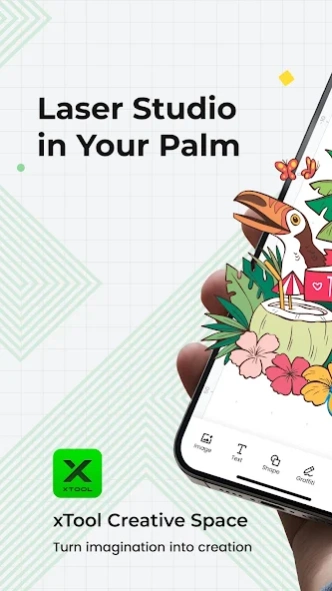


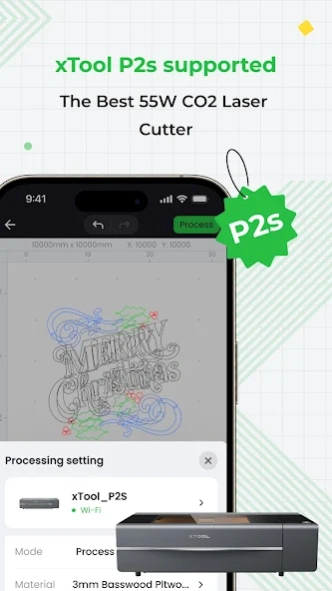
xTool Creative Space is an app developed for xTool laser machines.
xTool Creative Space is developed for xTool laser machines. It integrates the functions of design, editing, and machine control. Experience a seamless, efficient workflow whether you're using a PC, iPad, or mobile.
Our Android app enables you to:
1. Snap & Process on the go, no need for a computer.
2. Connect your machine wirelessly. From editing to processing, your work follows you wherever you go.
3. Curve your text with a simple click & drag to add flair to your designs.
4. Generate barcodes and QR codes in one click, making your project more interactive.
5. Explore a rich collection of shapes, including Borders, Plants, Animals, Festivals, and more!
6. Quickly upload and process images of multiple formats including XCS, SVG, DXF, PNG, JPG, and BMP.
About XCS - xTool Creative Space
The company that develops XCS - xTool Creative Space is Makeblock-official. The latest version released by its developer is 2.2.1.
To install XCS - xTool Creative Space on your Android device, just click the green Continue To App button above to start the installation process. The app is listed on our website since 2025-01-10 and was downloaded 81 times. We have already checked if the download link is safe, however for your own protection we recommend that you scan the downloaded app with your antivirus. Your antivirus may detect the XCS - xTool Creative Space as malware as malware if the download link to com.makeblock.xcs is broken.
How to install XCS - xTool Creative Space on your Android device:
- Click on the Continue To App button on our website. This will redirect you to Google Play.
- Once the XCS - xTool Creative Space is shown in the Google Play listing of your Android device, you can start its download and installation. Tap on the Install button located below the search bar and to the right of the app icon.
- A pop-up window with the permissions required by XCS - xTool Creative Space will be shown. Click on Accept to continue the process.
- XCS - xTool Creative Space will be downloaded onto your device, displaying a progress. Once the download completes, the installation will start and you'll get a notification after the installation is finished.
Program Details
System requirements
Download information
Pricing
Version History
version 2.2.1
posted on 2025-01-10
1. Supports xTool SafetyPro™ AP2 to be directly connected to mobile phone for firmware upgrade.
2. Resolved small bugs and improved stability.
version 2.2.0
posted on 2024-12-26
1. Easily add and connect devices with comprehensive guidance.
2. Enhanced custom material addition experience with adjustable processing areas.
3. Support xTool SafetyPro™ IF2.
4. Support xTool SafetyPro™ AP2.
5. Support F1 Ultra (Class 1 machine).
6. P2S added a new option to enable faster acceleration on the X-axis.
version 2.1.1
posted on 2024-10-22
1. Support for the new device xTool P2s, the best 55W CO2 laser cutting machine.
2. A new Custom Material Matrix has been added, allowing users to create material matrices with their own materials and parameters.
version 2.1.0
posted on 2024-09-14
1. M1 Ultra adds estimated duration of inkjet mode and multi-point positioning support
2. F1 Ultra adds manual focusing
3. Support P2S
4. Optimize the user experience of S1
5. Fix the problem that text welding doesn't work
version 2.0.4
posted on 2024-07-13
1. Supports the new product xTool M1 Ultra
2. Upgraded the snapshot preview function, a better experience (For M1 Ultra and S1)
3. Added the layer hiding and new text editing functions
4. Restored the image tracing function
5. Supports M1 Ultra to use Hotspot connection
6. [For M1 Ultra and S1] Added the screen preparation mode
7. [For F1 Ultra] Added the embossment and large material processing modes and processing time estimation
8. Fixed some known bugs and improved the user experience
version 2.0.1
posted on 2024-06-15
1. Fix the Auto-snapping problem
2. Optimize the interactive experience of the editing panel
version 2.0.0
posted on 2024-05-31
1.Supporting the new product xTool F1 Ultra
2.New UI style and smoother user interaction experience
3.Added the Hotspot connection mode, more efficient and simpler (for F1&F1 Ultra)
4.Linked to the Material EasySet Library, supporting 400+ types of materials, view and apply recommended processing parameters more intuitively
5.Enhanced auto-planning of the processing path, more efficient
6.Added processing preview and time estimation, improving user experience
7.Known problem fixes
version 1.8.0
posted on 2024-03-04
1.New graffiti function, more convenient to record creativity.
2.New support for S1 devices to use the Snapshot preview function, better visualization of the alignment and processing experience, and can be linked to the PC to achieve Smart fill and other fun features!
3.New user rating function, we listen to your feedback and work together to build better products.
4.Cloud storage and Passport function interaction optimization.
5.Other known issue optimizations and detail improvements.
version 1.7.0
posted on 2023-12-07
1.[New] Allows importing third-party fonts for text designing and laser processing.
2.[New] Provided the function of image tracing. You can take a photo and trace it.
3.[New] Added the language Slovenian.
4.[New] Supports the new product xTool D1 Pro 2.0.
5.[Optimized] xTool S1 device function optimization.
6.[Optimized] xTool P2 device function optimization.
7.[Optimized] Improved user experience in Laser cylindrical mode.
8.[Fixed] Fixed other known issues.
version 1.6.0
posted on 2023-10-10
1. xTool Passport Integration: Seamlessly manage your account, register, and access your personal center.
2. Cloud Storage: Effortlessly share XCS project files across PC, mobile, and iPad.
3. Support editing projects without connecting to device when newly downloaded APP.
4. Support hidden and show layers
5. [D1 Pro] In laser plane mode, switch between absolute and relative coordinates for precise control.
6. Bug fixes.
(Edited)
